
How Much Heat Can a Kindle Handle? Official Specs and Real Failures

Key Takeaways
- Your Kindle is designed to operate between 32°F and 95°F (0°C to 35°C), and can be stored between 14°F and 113°F (-10°C to 45°C) — but only when it’s fully powered off, not just sleeping.
- The e‑ink display uses a liquid polymer suspension (titanium dioxide in hydrocarbon oil) that crystallizes at 23°F (-5°C), which is why cold can make the screen go blank — though a hard reset often brings it back.
- Simple, cheap insulation like a bubble‑wrap envelope or a neoprene sleeve (one user uses a $5‑Below sleeve that weighs just 1 ounce) can extend your Kindle’s survival range by creating a microclimate.
In This Article
Your Kindle has a sweet spot for temperature, and it’s narrower than you think. Get it too hot or too cold, and things can go wrong — but most of those problems are avoidable once you understand the limits.
How Much Heat Can a Kindle Handle? The Real Limits You Need to Know
Let’s start with the numbers. Amazon’s official operating range for the Kindle 1 and Kindle 3 is 32°F to 95°F (0°C to 35°C). That same range is presumed for the DX and K2, since Amazon never published separate specs for those models. The storage range is wider: 14°F to 113°F (-10°C to 45°C). These figures originally appeared in a post by Bufo Calvin on the I Love My Kindle blog, and they’re still the best reference we have.
The key takeaway: if the thermometer reads over 95°F, Amazon doesn’t recommend using your Kindle at all. And the storage range only applies when the device is completely off. A sleeping Kindle in a hot car is still considered “operating,” which brings us to the nuance.
What Does “Operating” Actually Mean? The Nuance That Keeps Your Kindle Safe
You might think your Kindle is safe if the screen is off and you’re not reading. But if it’s sleeping and still indexing, it’s technically operating. Bufo Calvin’s blog post explicitly asks, “What Does “Operating” Actually Mean?” and the practical answer is: reading counts, sleeping may count if the device is doing background work like indexing or syncing. So don’t assume it’s protected just because you’re not turning pages.
That distinction matters. A sleeping Kindle left in a parked car on a hot day could still be running background processes, putting it under the stricter 95°F operating limit — even though the storage limit is 113°F.
Red flag: A sleeping Kindle in a parked car is still “operating” if it’s indexing or syncing, so the 95°F limit applies — not the 113°F storage limit.
Signs Your Kindle Is Overheating (And What to Do)
Heat can cause erratic behavior, total failure, or — in extreme cases, melting (but you'd have to try for that last one). The most common symptom is a forced shutdown accompanied by a “maximum heat” warning.
The “Maximum Heat” Warning
One forum user reported seeing that alert for the first time while reading in direct sunlight — and it was their seventh Kindle, meaning they’d never seen it before across six previous devices. The warning appears when ambient temperature hits about 95°F, triggering a protective shutdown.
Hot Car and Steam Room
A car interior can exceed 140°F on a sunny day — well above the 113°F storage limit. That’s the most dangerous place for your Kindle. Steam rooms and saunas are worse, because they combine high heat with humidity that can seep into ports and damage electronics. Don’t bring your Kindle into a steam room or sauna, that's past both the operating and storage limits.
What Real Damage Looks Like
Above 95°F, you might experience glitches — screen flickers, unresponsive buttons, or permanent damage to the battery and display. The lithium‑ion battery degrades faster in heat, and the e‑ink layer can fail. In a worst‑case scenario, the plastic casing can warp or melt, but that usually requires prolonged exposure to extreme heat (like a closed car on a 100°F day).
Cold Weather and Your Kindle: Why Screens Freeze and How to Fix Them
Your Kindle’s screen isn’t like a phone screen. It uses an electrophoretic display: tiny particles of titanium dioxide suspended in a hydrocarbon oil, with a dark dye. That liquid polymer mixture can freeze.
The e‑Ink Display
Think of it like a shaken snow globe. The particles need to move freely to create text and images. When the temperature drops, the oil becomes viscous, and then — at 23°F (-5°C) — the mixture actually crystallizes. That’s the temperature point at which the e‑ink stops working properly.
Symptoms of Cold Exposure
A Kindle II tested in real‑world conditions became sluggish in the mid‑30s°F and went completely blank near freezing. The slowdown is your first clue: page turns take longer, the screen looks washed out. If you keep using it, you’ll eventually get a blank screen.
The Hard Reset Recovery
One user found that holding the sliding power switch in the “on” position for about a minute — a hard reset — brought everything back, including downloaded books.
What Kindle Owners Report: Real‑World Temperature Survival Stories
Real‑world outcomes vary, and protective storage makes a difference.
The “7th Kindle” Heat Warning
That user who saw the “maximum heat” warning on their 7th Kindle suggests there might be differences between generations or firmware versions — newer models could be more thermally sensitive, or have a lower warning threshold.
Cold Weather Survival
Two people on the same trip, facing the same temperatures. One stored their Kindle loose in a bag without a cover — the screen went “funky” after one night near freezing, and Amazon replaced it under warranty.
The other person had a homemade bubble‑wrap cover and experienced no issues across the same cold nights.
Another user reported that a Kindle II worked fine in the 20s°F — but only because they kept it in a bubble‑wrap envelope inside their bag. The same Kindle had become sluggish in the mid‑30s when stored without protection, which raises the question: can you bring a kindle into a sauna?
The Kindle 4 NT
One forum user expressed that the Kindle 4 NT had an impact on their life.
Practical Tips: Keeping Your Kindle Safe in Heat and Cold
You don’t need an expensive case. The cheapest solutions are the best.
Cold Weather Protection
If temps drop into the low 30s°F, turn your Kindle off completely — not just sleep, and store it in a protective sleeve. One user swears by a neoprene sleeve from $5 Below that costs almost nothing and weighs just 1 ounce. Another user uses a bubble‑wrap envelope. Both create a microclimate that can extend your Kindle’s survival range by 10–15°F.
Heat Protection
In hot weather, avoid direct sun. If you’re reading at the beach, keep the Kindle in the shade of a towel or in your bag when you’re not actively reading. Never leave it in a parked car, even for a few minutes. The “maximum heat” warning is your cue to move it somewhere cooler.
For a more targeted solution, consider a lightweight, white or reflective sleeve—like a white cloth cover or a foil-lined pouch—which can reflect sunlight and help keep the Kindle cooler. If you’re in a hot environment, you can also place the Kindle in a bag with a cold pack wrapped in a cloth, ensuring the pack doesn’t touch the device directly to avoid condensation. While no specific heat-protective product is widely reported by users, these simple, physics-based measures can make a difference.
The One‑Ounce Solution
The neoprene sleeve is a fix: one ounce, a few dollars, and it works for both heat and cold.
Common Scenarios: Hot Car, Beach, Steam Room, and More
Let’s run through the situations you’re likely to encounter.
- Hot car – Worst place. Car interiors can exceed 140°F. Even a Kindle in sleep mode (still technically operating) will hit the 95°F limit fast. Don’t do it.
- Beach reading – e‑ink is great in bright sun, but the device itself can overheat. Read in the shade, use a towel or cover when you pause, and keep it out of direct sunlight for extended periods.
- Steam room or sauna – A hard no. Heat plus humidity pushes past both the operating and storage limits. If you want to read in the sauna, grab a real book or a cheap paperback.
- Direct sunlight – The most common trigger for the “maximum heat” warning. Your Kindle can handle a coffee‑shop window seat, but direct midday sun on a hot day will push it over the edge.
Beyond Your Kindle: How Amazon Is Pushing Temperature Limits in Drones and Space
Your Kindle is capped at 95°F. But Amazon’s own drone engineers are building devices that can handle more. Amazon Prime's Two-Day Delivery program started 17 years ago, and since then the company has pushed the boundaries of what its delivery technology can endure.
Prime Air MK30
Amazon’s Prime Air MK30 drone, due in 2024, has “expanded temperature tolerance” compared to the previous MK27‑2 model. It’s lighter, smaller, can fly in light rain, and uses custom propellers that reduce noise by 25%. The drone’s sense‑and‑avoid system lets it operate safely at greater distances.
Kindle‑craft One
There’s also a concept called “Kindle‑craft One,” which proposes using E Ink on a spacecraft to manage thermal control and navigation. By switching the color of E Ink pixels, you could control how much heat a spacecraft absorbs. The idea is at TRL 2 (very early stage — just a concept). NASA and SpaceX use a 9-point Technology Readiness Level scale, where 9 is the highest, to assess whether designs are ready for deployment.
For comparison, LightSail and LightSail 2 used very thin Mylar sheets to reflect light, gaining momentum from sunlight itself. LightSail 2 deployed its solar sail via a CubeSat, proving the concept for larger satellites.
What This Means for Your Kindle
Your Kindle’s 32–95°F operating range is about predictable reliability for millions of users, not about what the e‑ink technology can survive.
Bottom line: The 95°F operating limit is a safety margin for mass-market reliability, not a hard technological ceiling — Amazon’s drone engineers are building for wider ranges.
The Bottom Line: Know Your Limits, Protect Your Kindle
Your Kindle is designed to survive 32°F to 95°F while operating and 14°F to 113°F while stored. Respecting those limits, with the simple addition of a cheap sleeve or bubble‑wrap envelope, will keep you reading in comfort year‑round. If you push past them, you’ll either get a warning or a blank screen — and hopefully a recovery method that works.
Frequently Asked Questions
What temperature is too hot for a Kindle?
Amazon's official operating limit is 95°F (35°C). Above that, the device can trigger a protective shutdown and display a 'maximum heat' warning. The storage limit is 113°F (45°C), but only applies when the Kindle is fully powered off, not just sleeping.
What's the average lifespan of a Kindle?
There's no official average, but heat is one of the factors that shortens a Kindle's life. Lithium-ion batteries degrade faster in high temperatures, and the e-ink display layer can fail if exposed to extreme heat repeatedly.
Can cold weather permanently damage a Kindle screen?
Not necessarily. The e-ink display uses a liquid polymer suspension that crystallizes at 23°F (-5°C), causing the screen to go blank. This is often recoverable with a hard reset — holding the power switch for about a minute, though results vary by model.
What does 'operating' mean for a Kindle's temperature limits?
It means the device is doing something — reading, indexing, or syncing. A sleeping Kindle that's still running background processes counts as operating, so the stricter 95°F limit applies, not the 113°F storage limit.
How can I protect my Kindle from temperature damage without buying an expensive case?
A cheap neoprene sleeve or a bubble-wrap envelope works well. These create a microclimate that can extend your Kindle's survival range by 10–15°F in both heat and cold, and cost just a few dollars.

Founder & Lead Designer, SaunaCloud®
SaunaCloud: 3,000+ installations since 2014 · Author of The Definitive Guide to Infrared Saunas · Featured in Forbes, Inc., and MSN
Christopher designs every SaunaCloud sauna. His work brings the room, heaters, controls and installation plans together so you can review the project before committing. His professional expertise is sauna design and construction, not clinical medicine.
Custom 3D renderings and a proposal in 24-48 hours.
Continue Reading

Safety & Best Practices
Senior-Safe Sauna Design: Features That Prevent Falls
Read article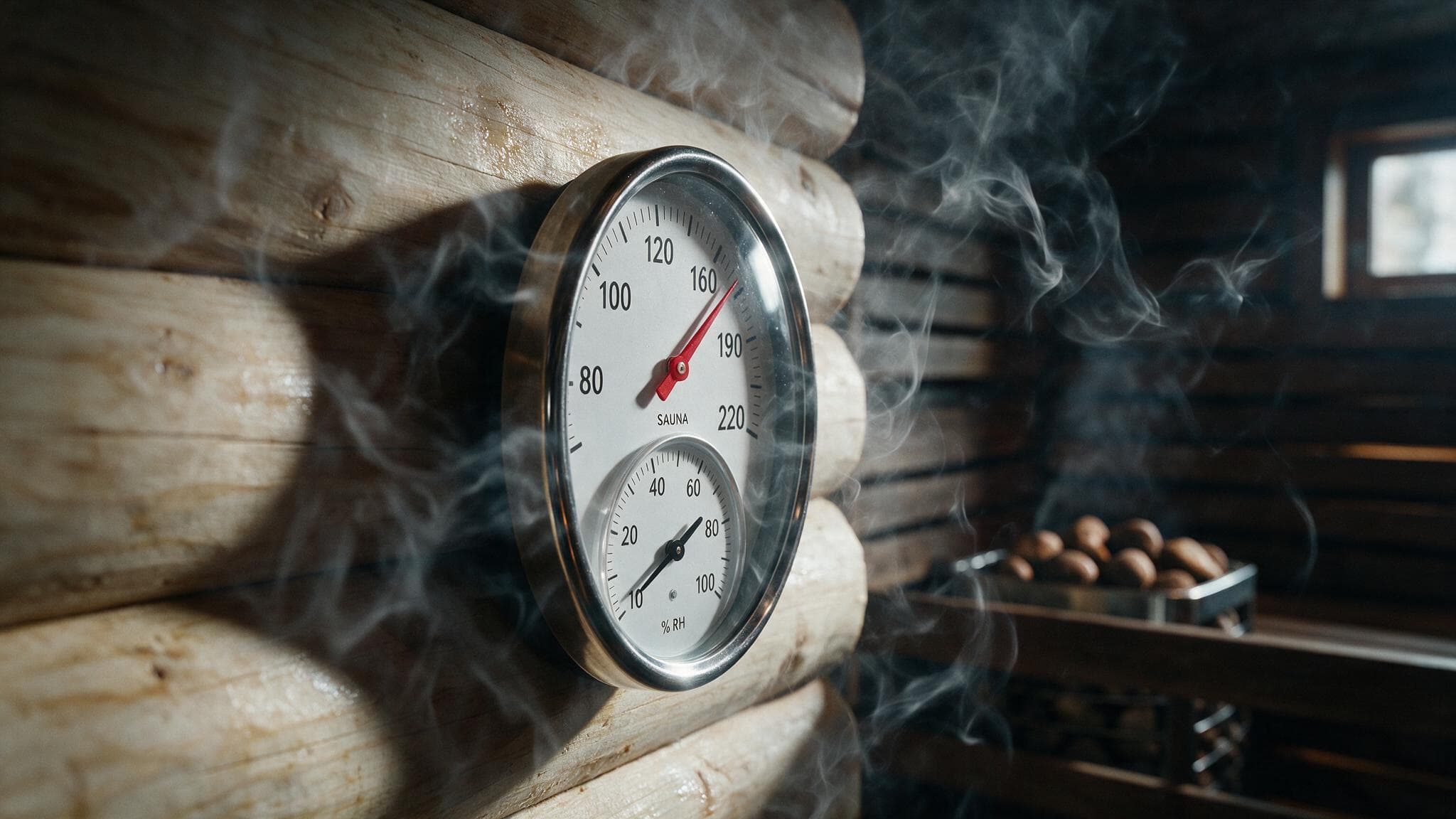
Safety & Best Practices
What Is the 200 Rule for Saunas? A Safety Guideline Explained with Real-World Heat Stress Examples
Read article
Safety & Best Practices
What Not to Do After an Infrared Sauna: 7 Post-Session Mistakes That Ruin Your Recovery
Read articleReady to Design Your Sauna?
Every project starts with a conversation. Tell us about your space and we'll create your custom plan — free, no obligation.
Custom 3D renderings and a proposal in 24-48 hours.